Get documents signed, the European way.
Upload a PDF, place the fields and send it. People sign online with their Dazr account, on any device, and everyone gets a sealed copy with a full audit trail.
Uses your Dazr account and its storage. Hosted in the EU.
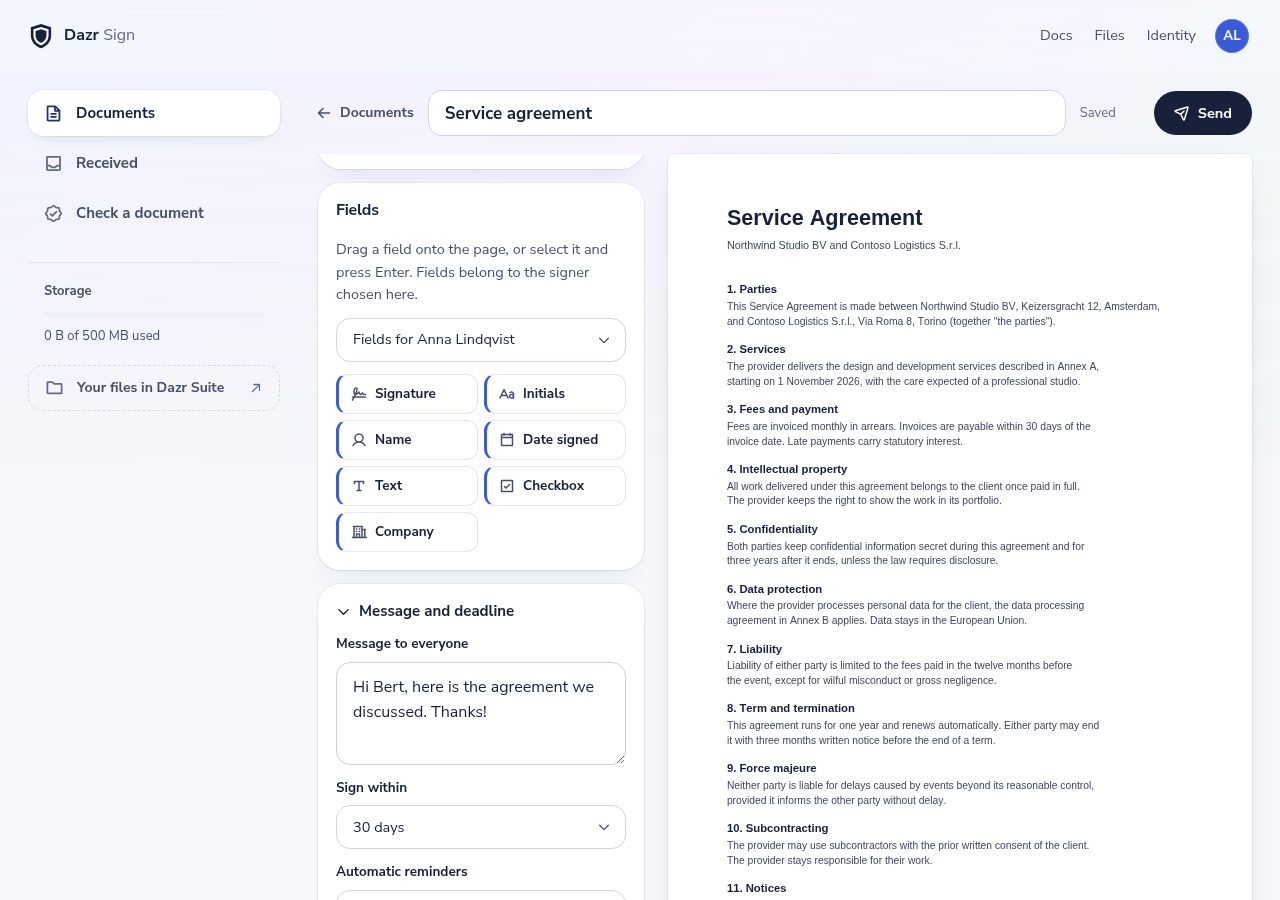
From PDF to signed in minutes.
Everything a signing round needs, nothing that slows it down.
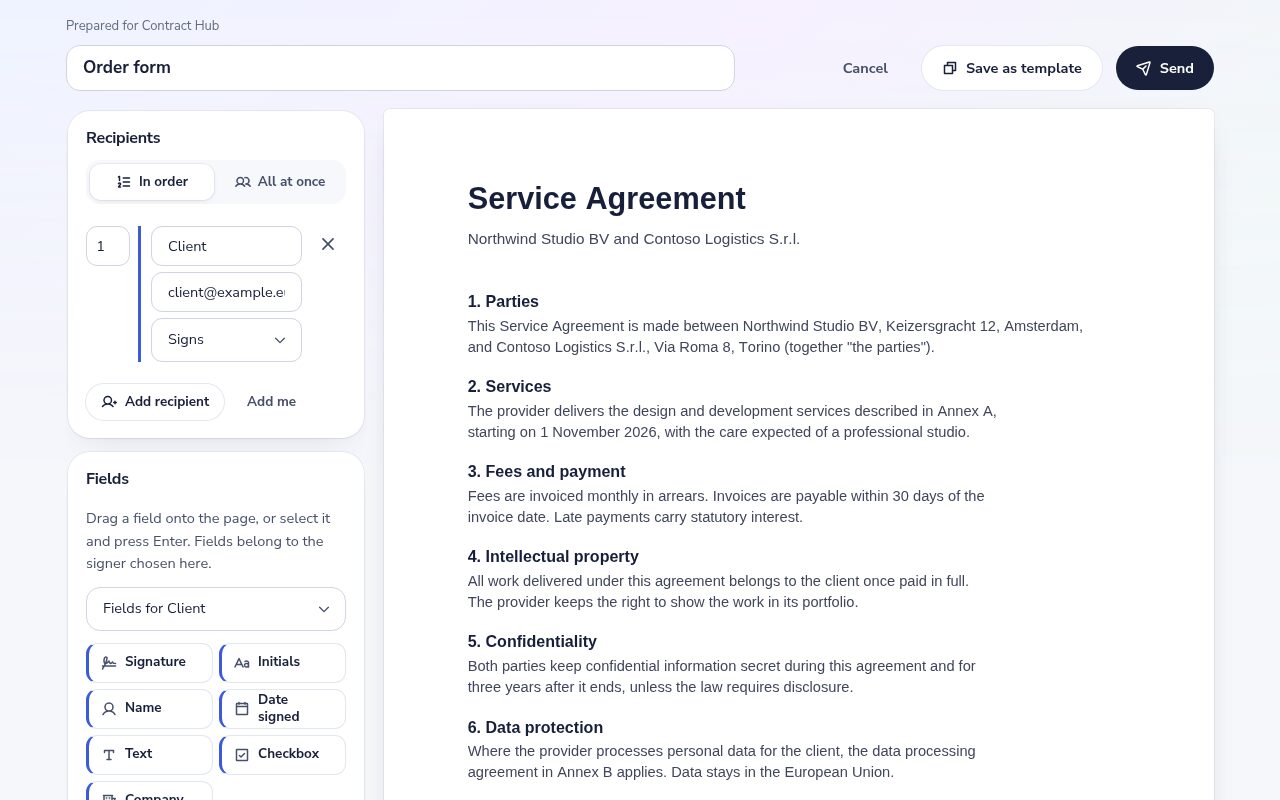
Drag signature, initials, name, date, text, checkbox and company fields onto the pages, for each person who signs.
Let people sign one after another or at the same time. Set a deadline, and reminders go out on their own.
Choose Send for signature in Docs and the document opens in Dazr Sign, ready for its fields.
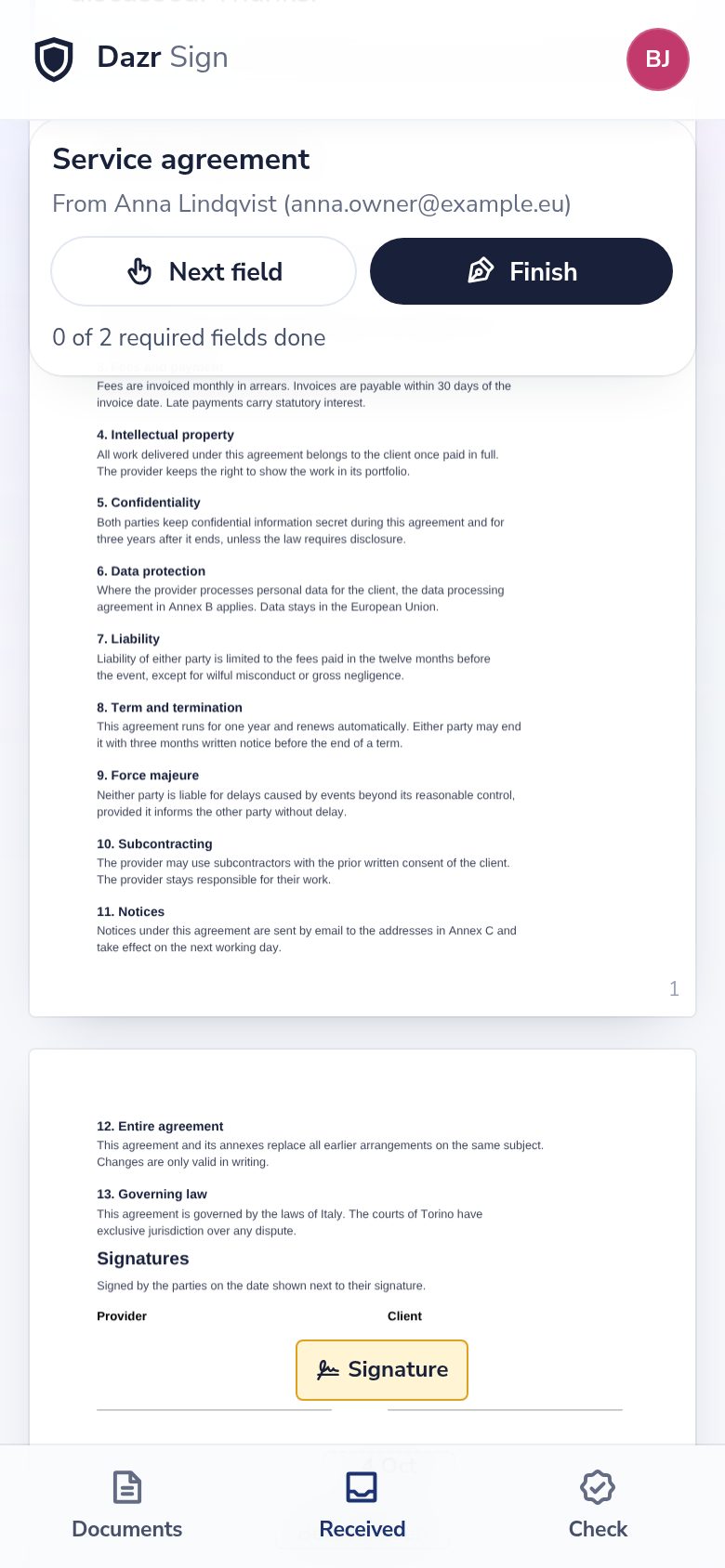
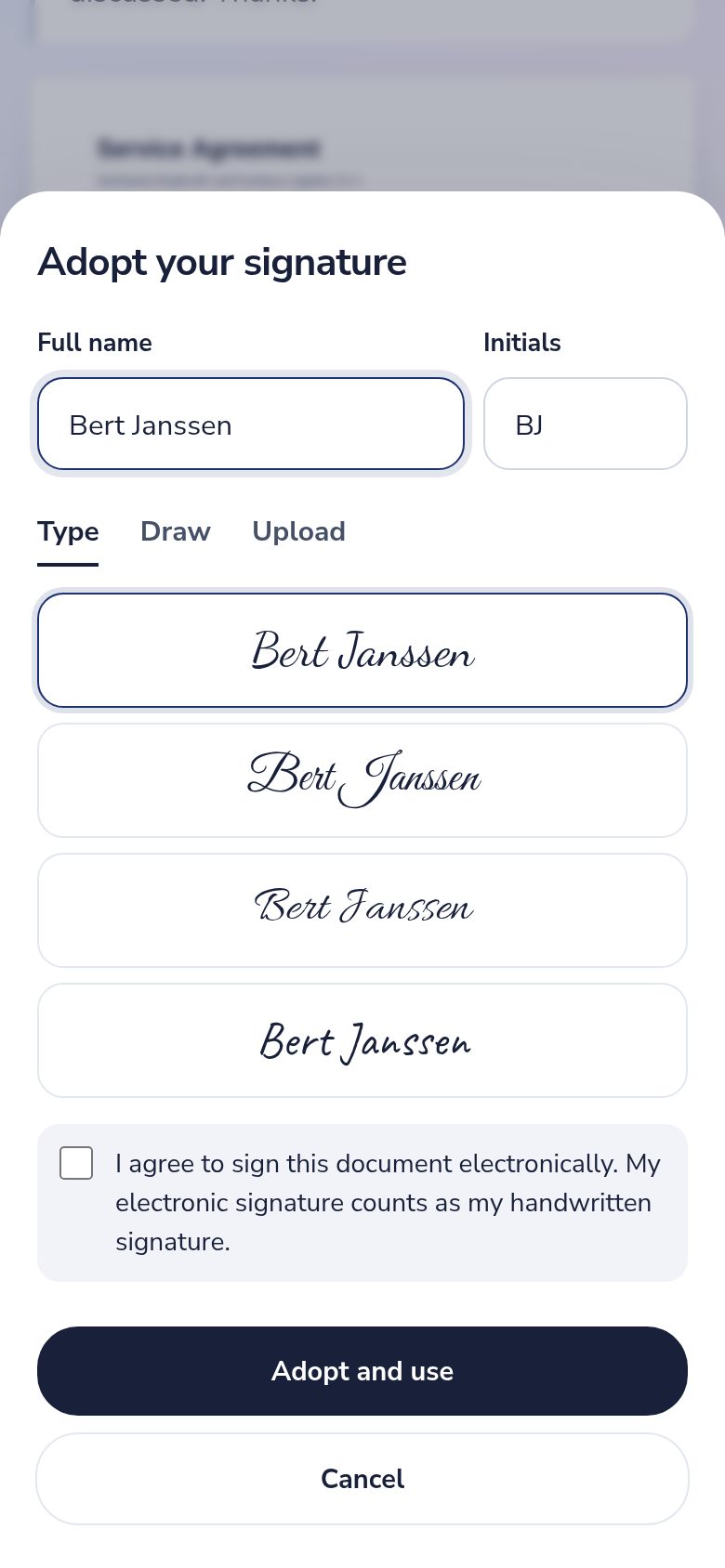
Building your own software? The Dazr Sign API prepares and sends documents in the name of the people who use it.
Prepare once, send again.
For the documents you send every week, and for the software you build.
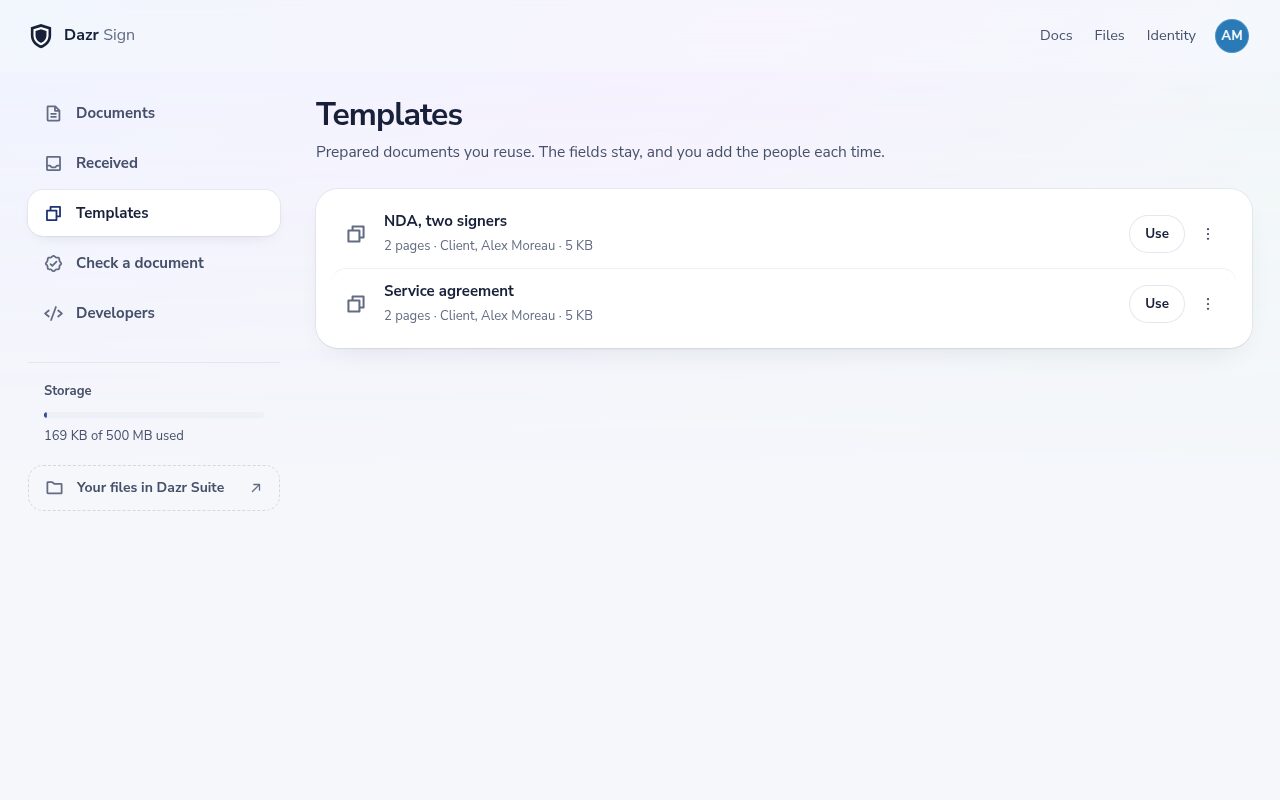
Save a prepared document as a template. The fields stay, and you add the people each time.
With the Dazr Sign API, your app opens a Dazr Sign window where people place the fields and send the document in their own name.
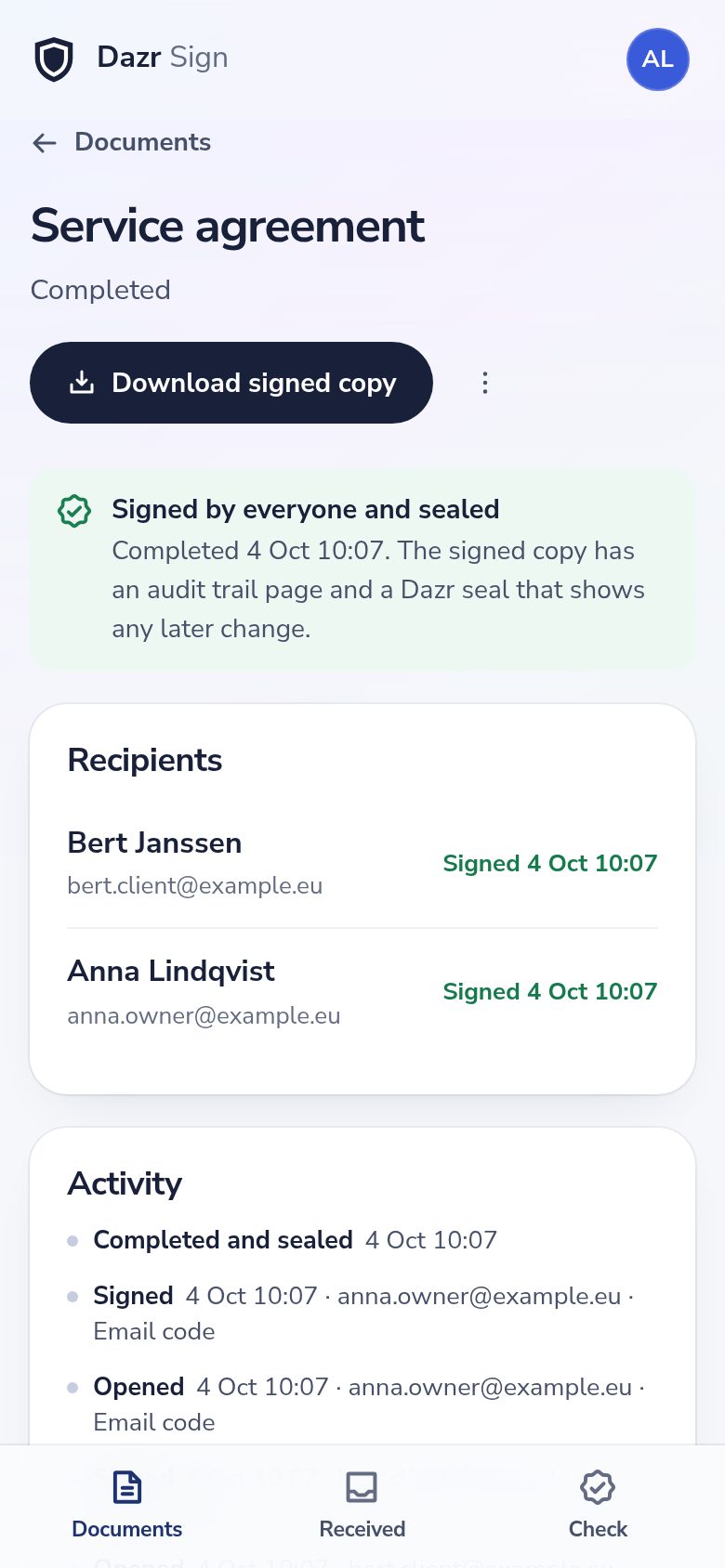
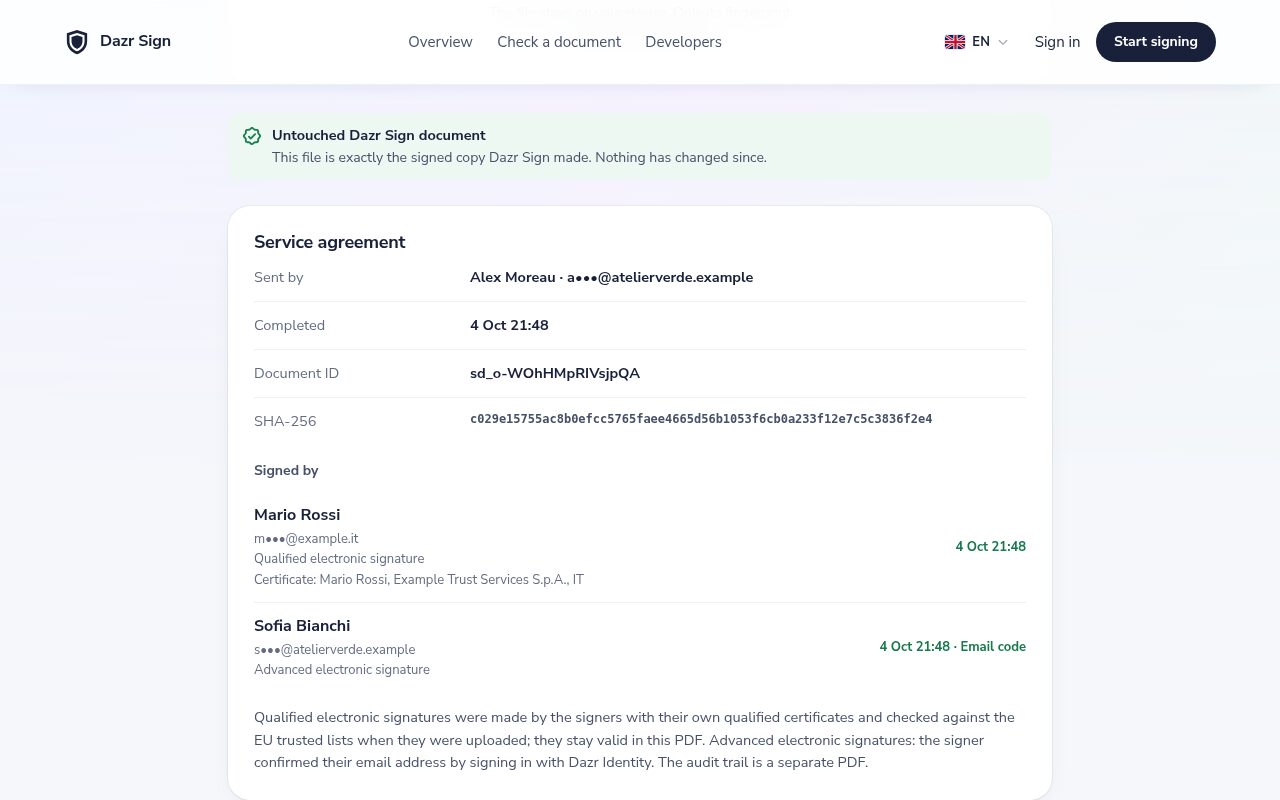
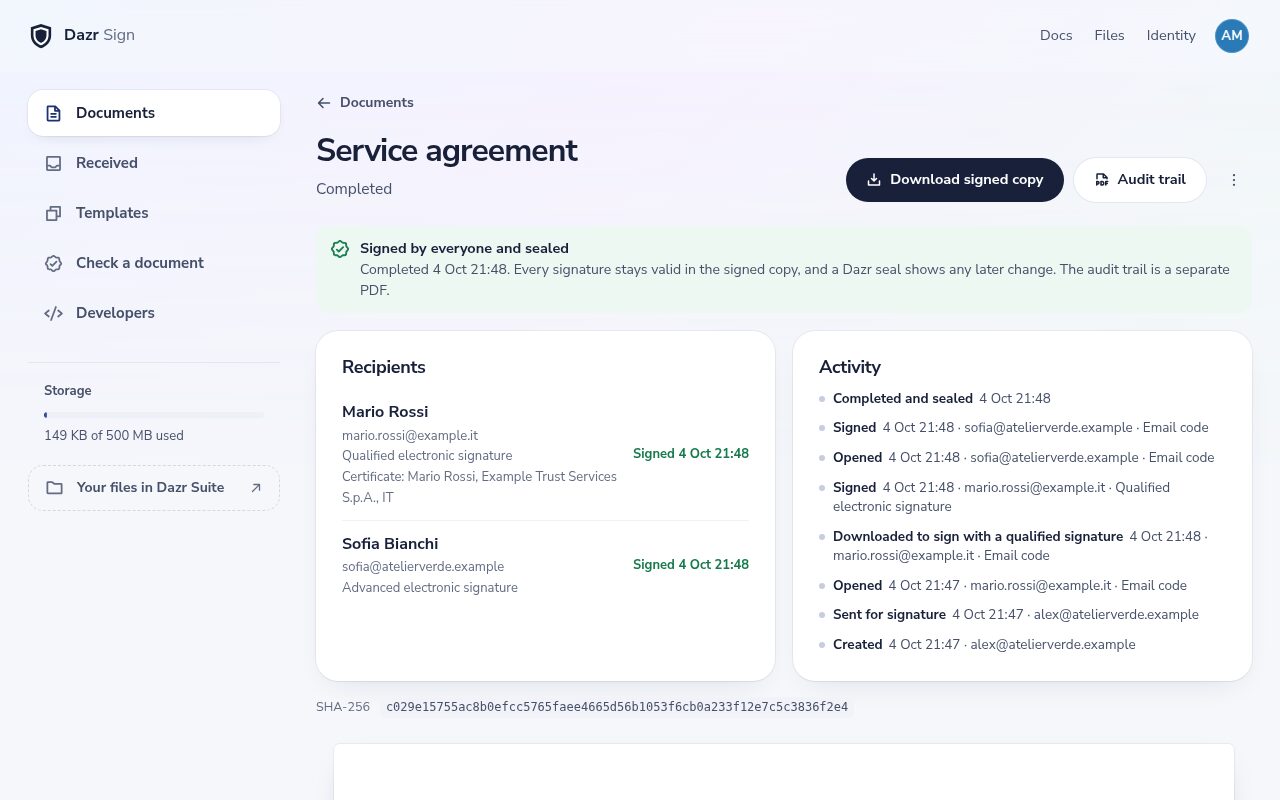
Anyone can check a signed PDF on the check page and see who signed it, how and when.
Signatures you can stand behind.
Every step is recorded, and the signed copy shows any later change.
Each signer opens the document by signing in with Dazr Identity using the address it was sent to: an email code, a passkey, Google or Microsoft.
When everyone has signed, Dazr seals the PDF with a digital signature. Any PDF reader shows if a single byte changes afterwards.
The last page lists every step with its time, the sign-in method, the approximate country and the document fingerprints before and after.
Anyone can check a PDF on the check page. The file stays on their device: only its fingerprint is compared.
Dazr Sign creates advanced electronic signatures as defined in the EU eIDAS regulation, based on a verified email address and a sealed document. When a document needs a qualified electronic signature, the signer signs with their own qualified certificate and Dazr Sign checks it against the EU trusted lists.
Qualified signatures, when you need them.
For documents that call for the highest level of signature in the EU.
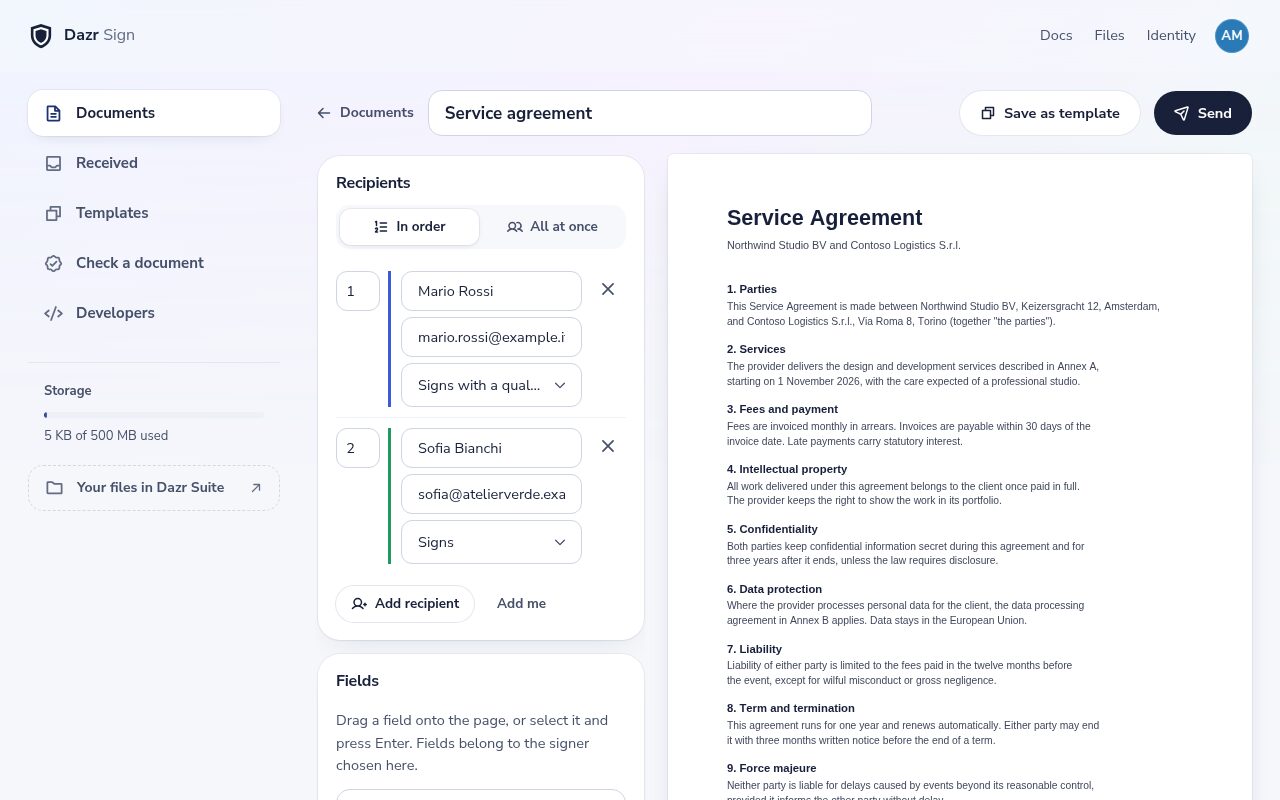
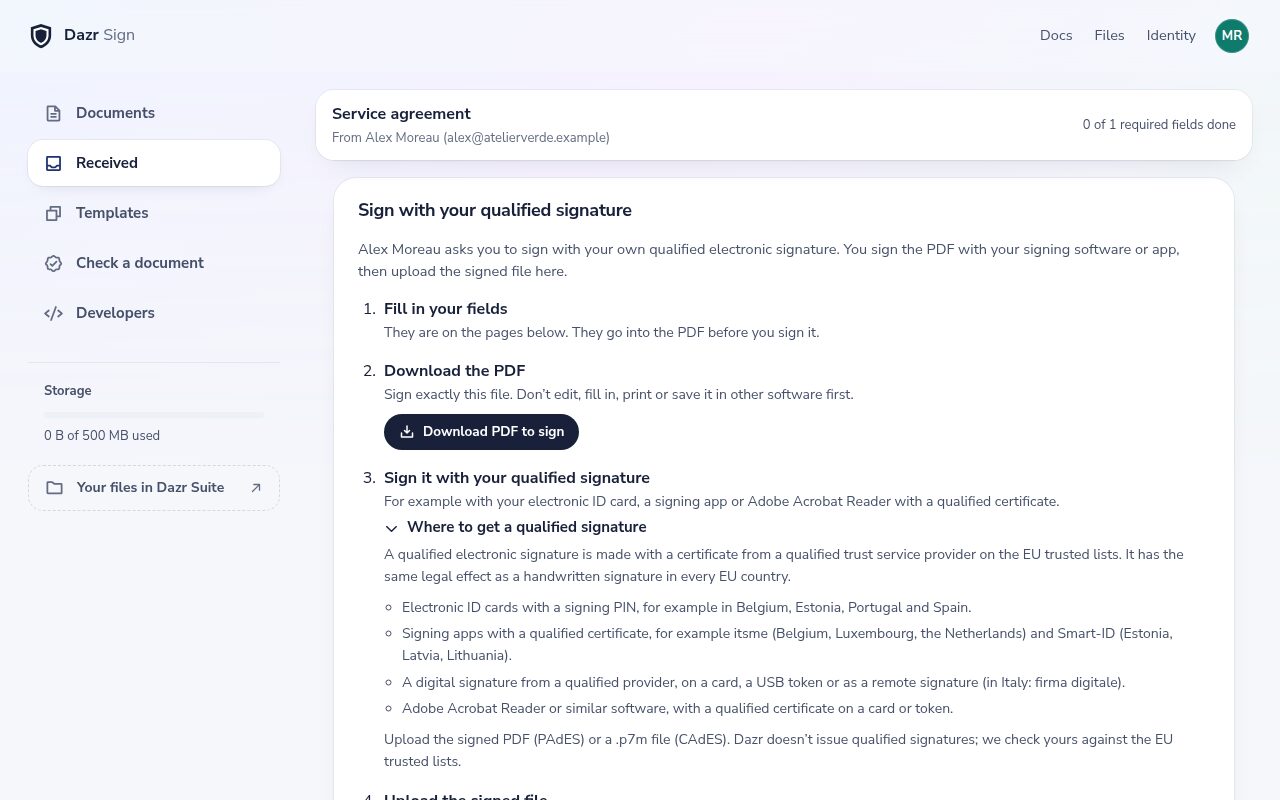
In the editor, pick Signs with a qualified signature for each person who needs to.
They download the PDF, sign it with their electronic ID card, a signing app or a qualified certificate, and upload it. Clear steps guide them.
Dazr Sign checks every qualified signature against the EU trusted lists. The document page and the check page show who signed and with which certificate.
Your documents stay yours.
Contracts are private. Dazr Sign treats them that way.
Documents are stored encrypted on European infrastructure, by an Italian company, under European law.
A document is visible to its sender and recipients. Each signing link only works for the address it was sent to.
Signed copies also appear in Dazr Files. Delete a document and the space is free again at once.
Questions, answered.
Is an electronic signature legally binding?
In the EU, an electronic signature can’t be refused as evidence just because it is electronic. Dazr Sign gives you advanced electronic signatures with an audit trail, which suits most contracts, agreements and approvals.
Can people sign with a qualified signature?
Yes. Choose Signs with a qualified signature for a person. They sign the PDF with their own qualified electronic signature, such as an electronic ID card, a signing app or a qualified certificate in Adobe Acrobat Reader, and upload it. Dazr Sign checks it against the EU trusted lists, and every signature stays valid in the signed copy. Dazr doesn’t issue qualified signatures itself.
Do signers need a Dazr account?
They sign in with Dazr Identity. People without an account create one in a minute with a code sent to their email address, with no password.
Can I send Word documents?
Yes. Upload a Word or OpenDocument file and Dazr Sign turns it into a PDF, ready for its fields. From Dazr Docs, choose Send for signature.
Who pays for the storage?
The sender. Documents, their versions and the signed copy count toward the sender’s Dazr storage. Recipients get their copy by email and keep access in Dazr Sign at no cost to their storage.
Send your first document today.
Sign in with your Dazr account, upload a PDF and send it in a few clicks.